Polyphonic vs chromatic tuner modes read pitch differently: chromatic names any of the twelve semitones one note at a time, while polyphonic mode reads several strings from one strum.
What Each Mode Actually Reads
A chromatic tuner covers the twelve semitones of equal temperament and reports the note it hears, one pitch at a time. Korg's CA-2 is documented as a chromatic tuner with an A0-C8 detection range, meter and Sound Out modes, and a 410-480 Hz calibration range.
Polyphonic reading is a second capability that some chromatic tuners add. TC Electronic's PolyTune 3 manual — a mirror of the manufacturer's manual, not the original PDF — describes a polyphonic mode that needs no activation: strum the instrument, and the display analyzes which strings are in tune, flat, or sharp, switching between single-string and strum display as you play (sections 4.1 and 4.5).
That is why this comparison is not either/or. One device can read chromatically and polyphonically: the same pedal is a chromatic tuner that also offers a strum check. Neither word describes the hardware around the reading. Clip-on versus pedal is a form factor, and strobe versus needle is a display style.
What A Mode Label Does Not Tell You
- The tuning you intend. A tuner reports the note it hears and whether that note is sharp or flat. Automatic note detection is not an automatic choice of desired tuning: it cannot know whether you wanted standard, Drop D, or DADGAD, and chromatic reading does not require you to select the target note in advance.
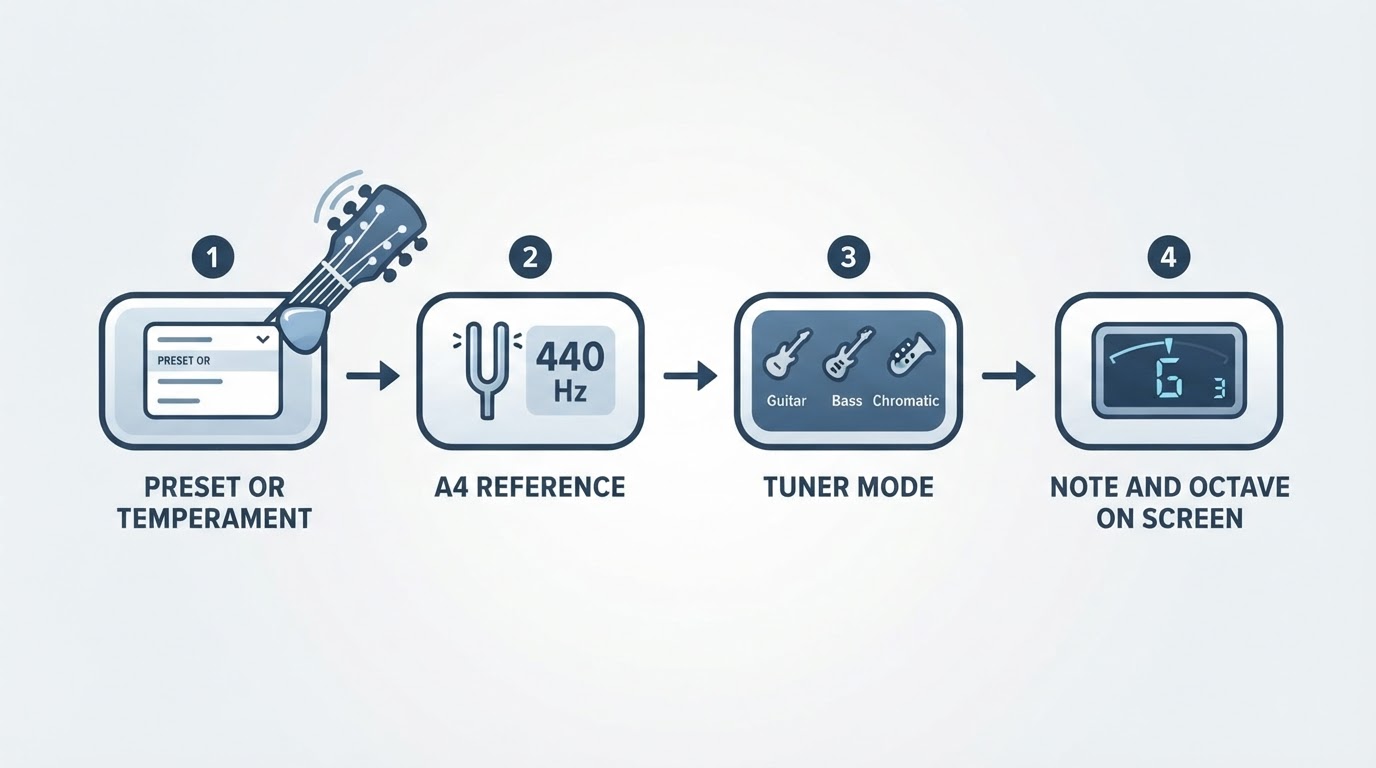
- The reference pitch. A4 is often 440 Hz, but models differ and not every tuner allows adjustment; Korg lists 410-480 Hz in 1 Hz steps for the CA-2. When a band or recording uses a fixed reference, matching it is intentional.
- Whether an offset is active. Flat and capo settings request semitone transposition, which is a different control from the A4 reference. A leftover setting produces correct-looking readings against a target you did not intend.
- What another device does. PolyTune 3 documents dropped-tuning and capo modes as settings on that model (manual sections 4.6-4.7). Do not assume every polyphonic tuner supports arbitrary tunings, seven-string, or bass instruments the same way, and do not transplant one pedal's button behavior onto another device.
Mode, Task, What To Check
Task | Useful mode | What to check |
|---|---|---|
Fast check of a standard-tuned guitar | Polyphonic strum, if the device offers it | Strum once, read the flagged strings, then confirm each adjusted string on its own |
One string, or any alternate tuning | Chromatic, one note at a time | The note name on screen and the target note for that string |
A clip-on shows nothing or an unusable note | Chromatic, other strings muted | Power, clip contact, then any active reference, flat, or capo setting |
You have not chosen a tuning yet | Chromatic | Decide the tuning and its target notes first; pitch detection does not choose the tuning for you |
Identify The Target Tuning First
A strum check shortens the search; it does not choose the target. Before turning a peg, decide the tuning and check the two settings that can shift it: the reference pitch and any flat or capo offset. Single-note chromatic mode is not intonation repair either. If fretted notes disagree with open strings while the display is steady, treat that as a setup question rather than a tuning one.
When The Reading Stays Unclear, Isolate One String
- Mute the other strings and pluck one open string; let the reading settle.
- Confirm the note name, the intended target, and the intended reference and offset settings.
- Compare that string with an independent reference such as a second tuner or a reference tone.
- If the reading is repeatable and the string matches the target, move to the next string.
A systematic offset across every string suggests checking your settings before the hardware, though it does not prove a cause. One string that disagrees while its neighbors are fine does not by itself prove a tuning-machine fault; inspect that string and its machine before replacing anything. If a clip-on produces no note at all, work through power, contact, and mode before tightening anything. The check is complete when the reference the model uses is the one you intend — displayed and adjustable where the model offers that, confirmed against its fixed reference where it does not — when any flat or capo offset matches the tuning you actually want, when one clean string agrees with an independent reference, and when repeating the check gives the same result.