A clip-on tuner that goes blank, misses a note or reads a note that will not settle gives you a branch to work through. Start with the symptom on the display, check each cause against your model's manual, and never keep winding a peg because a reading looks implausible.
Separate a missing signal from a wrong reference
The screen tells you which branch you are in: nothing lights up, no note registers, or a note reads wrong or will not settle. None of these starts by turning a peg harder.
What you see | Likely causes | Safe next step |
|---|---|---|
No display at all | Drained or wrongly fitted battery; auto power-off; heat, moisture or impact damage | Fit a fresh battery as your manual directs, press power again; a still-blank display may be a hardware fault |
Display on, no note registers | Clip not seated on the headstock; other strings ringing; weak battery | Re-seat the clip on solid headstock wood, mute other strings, pluck one open string |
Note present but wrong or unsettled | Wrong mode; unintended calibration, flat or capo setting; weak battery; marginal contact | Match the mode to the instrument and tuning, check the reference, then cross-check one string |
Features do not transfer between models: battery type and polarity, clip limits, calibration and warning features differ. Use your own manual, and treat a check as narrowing the possibilities, not proving a fault.
Branch 1: No display at all
A blank screen is a power question first. The Korg Pitchclip 2 owner's manual gives that model's sequence — switch off, open the battery cover, fit the cell with the "+" side facing up — and the Pitchclip 2 product page lists a coin-type CR2032. Check your model's battery and polarity markings rather than assuming they match.
That manual documents an auto power-off after roughly three minutes without a detected sound, so a dark screen may simply be asleep, and warns against direct sunlight, extreme temperature, humidity and dust. Keep spare coin cells out of reach of children. If power checks still leave a blank display, use the maker's support route.
Branch 2: Display on, but no note registers
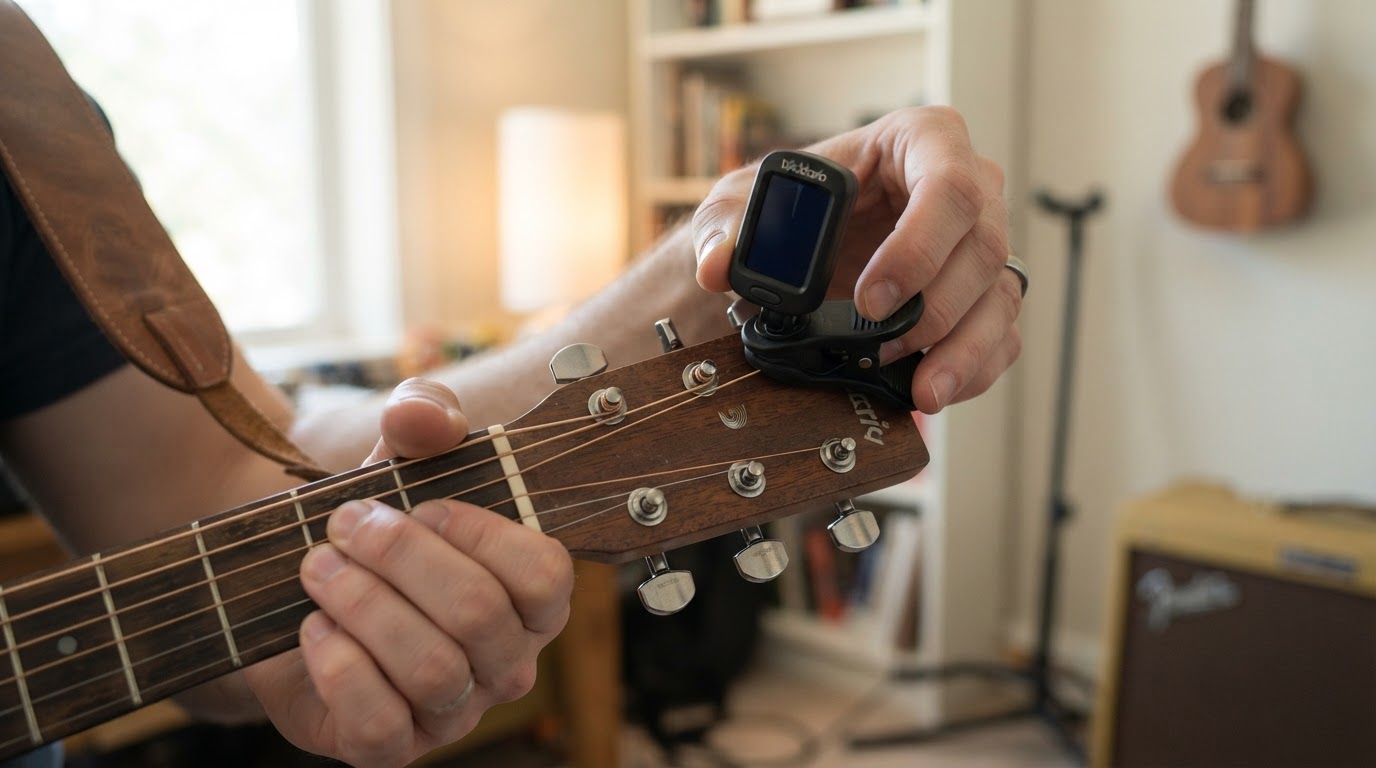
Seat the clip on the headstock
A tuner reads the instrument through its clip, so contact comes first. The Pitchclip 2 manual says to attach that model to the headstock and adjust the display angle; the Sledgehammer page notes that model's clip is built for a firm connection. An angled or rounded-edge mount gives less vibration to work with. That manual also warns against leaving the tuner attached for long periods, which may damage the finish, and against opening its clip past 120 degrees.
Pluck one string at a time
Play a single note. Strumming a chord or letting other strings ring gives the tuner more than one pitch, so mute the others, pluck one open string and let it sustain. If nothing registers, rotate the clip to another spot; a reading that comes and goes with position points to contact.
Cross-check with a second method
Compare one string with an independent reference: another tuner, a reference tone or an app. If the reference hears the pitch and the clip-on does not, suspect contact or the sensing path; if neither hears it, check the string and how the note is played. A microphone-based tuner listens rather than sensing vibration, which helps isolate the clip-on, though noise can affect it.
Branch 3: A note shows, but it is wrong or will not settle
Confirm the mode
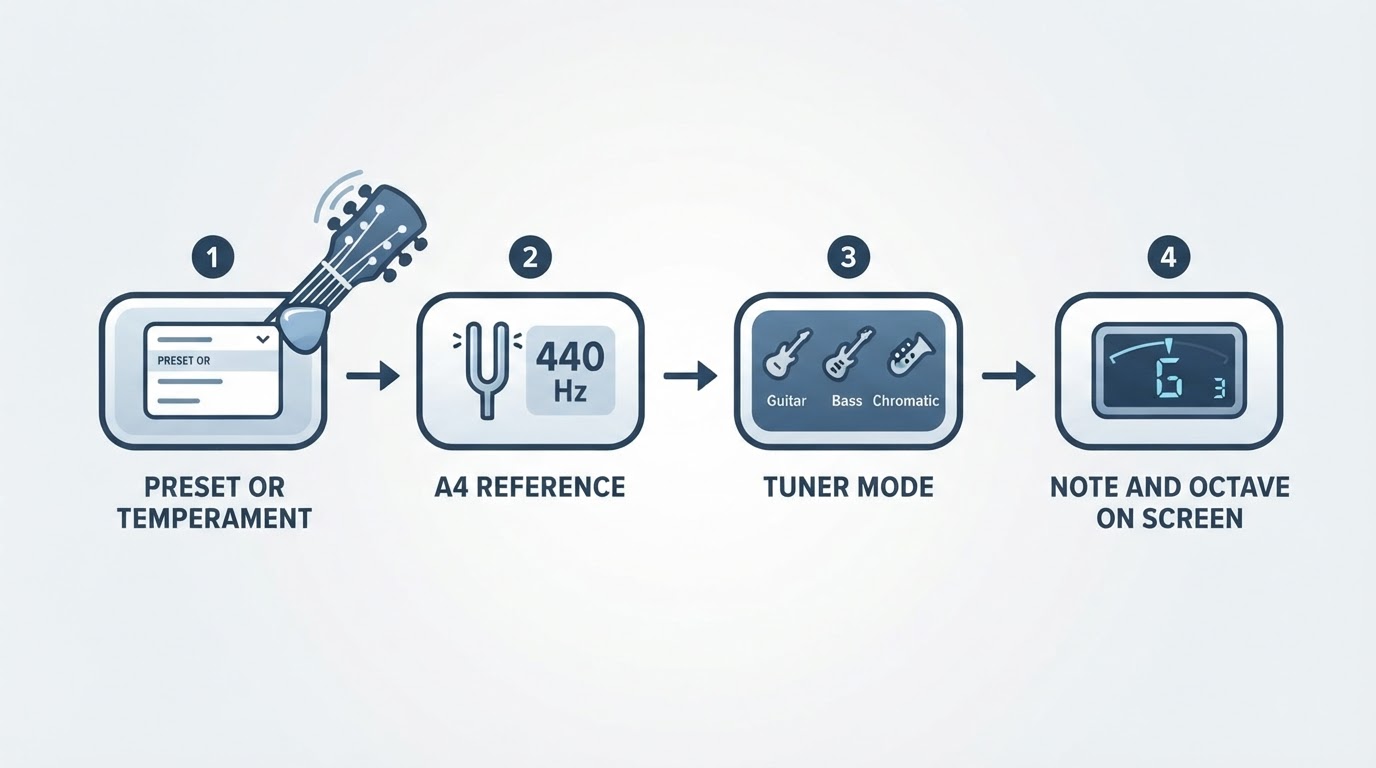
Mode errors produce confident, wrong readings. The Sledgehammer page describes chromatic, guitar and bass modes for that model; instrument modes assume standard string sets, so use chromatic mode for alternate tunings.
Check the reference, flat and capo settings
The Pitchclip 2 manual lists A4 at 440 Hz as that model's reference; the Sledgehammer page adds a calibration function plus flat and capo settings. A flat or capo setting left active, or a calibration moved for another session, shifts the target deliberately: the tuner works, but the target is not where you expect. The A4 calibration guide explains that setting.
Compare references with the same A4 target and conditions; agreement is a consistency check, not proof of calibration. A systematic offset across every string is a reason to check settings first: the instrument may be tuned elsewhere.
Rule out weak power and marginal contact
A low battery can look like a pitch problem: the Pitchclip 2 manual links it to a blinking note name and a sluggish meter. A reading that changes when you re-seat the clip or improves on a fresh battery points to power or contact.
Compare against a known pitch
If one string disagrees while its neighbors read normally, inspect that string and its machine; one disagreement does not prove a faulty peg. For an offset across every string, check settings before blaming calibration.
Do not overtighten a string to chase a reading
Adding tension to make a stubborn display agree is the most expensive move here: overshooting risks a broken string and leaves it sharp. The Sledgehammer page describes a first-string over-winding indicator on that model; that is one model's warning, not every clip-on's. If a reading looks implausible to your ears and a second reference, stop turning the peg, re-check power, placement and mode, then tighten in small increments. When unsure, stop and consult the maker's support.
Is it the tuner, the peg, or the setup?
A clip-on reports what reaches its sensor, so some symptoms belong to the instrument. A string that slips flat moments later, or a peg that turns without changing pitch, is a question about the string and tuning machine rather than the display. If the instrument matches two independent references but still sounds wrong, look at intonation or setup instead. The loose tuning-peg guide covers the mechanical checks, and why an in-tune guitar can sound wrong covers setup. Passing checks does not prove the tuner is defective; a tuner that still reads wrongly after every documented check, or a clip that no longer grips, is a case for maker support.
A blank check card
Fill this record in as you work so the evidence stays comparable; it is an editorial aid, not manufacturer advice.
Field | Your entry |
|---|---|
Tuner model and manual version | |
Power symptom (blank, dim, blinking, none) | |
Clip placement and positions tried | |
One string tested, others muted | |
Mode and reference setting, if supported | |
Independent reference used and its result | |
Next action and what would change your conclusion |
Use the same reference, A4 target and conditions throughout; agreement is not proof of calibration. If nothing changes, try a second string before deciding anything.