What a Sweetener Changes on a Tuner
A preset is the pitch a tuner treats as correct. It is not a correction applied to the guitar. Peterson describes EQU in its Sweetened Tunings list as equal temperament suitable for regular or alternate tuning, with 100-cent intervals and no Sweetening.
Against that baseline, the StroboPLUS HDC FAQ defines a Sweetener as "a set of cent offsets or a deviation from generic Equal Temperament interval spacing traditionally used in tuning." The offsets sit per note inside the preset, and how large they are varies by preset. Their size says nothing about the tuner's accuracy: a one-cent offset and a ten-cent offset can both be applied by a device that resolves pitch the same way.
Nothing on the instrument moves. Selecting a preset changes the pitch the display treats as correct, and retuning the string then changes its actual pitch. No preset turns a tuner screw, alters a saddle or adjusts a nut, and the guitar's mechanical setup stays exactly as it was.
That is why the two settings are not competing measurements of one target. A string can sit centered on a Sweetener and a few cents off on EQU while both readings are honest, because each reading is measured against a different target.
It also means a preset that names your instrument is not automatically the better choice. Whether the shifted target suits your guitar depends on the instrument, the tuning and the music.
Which Peterson Presets Fit Guitar, Acoustic and Baritone
In the same list, each guitar preset carries a one-line scope. These are the four relevant to a steel-string or baritone player.
Preset | What the one-line description covers | Practical scope |
|---|---|---|
EQU | Equal temperament for regular or alternate tuning, 100-cent intervals, no Sweetening | Any note in any tuning, with no instrument-specific offsets |
GTR | Guitars tuned to standard EADGBE | Six-string guitar in standard tuning |
ACU | Acoustic guitars tuned to standard EADGBE | Acoustic guitar in standard tuning |
BRT | Sweetened tuning for baritone guitars | Baritone guitar, with no tuning named |
GTR and ACU name EADGBE outright, and EQU states that it covers alternate tunings too, because it applies no instrument-specific offsets. BRT names the instrument family but not a tuning.
A short overview is not the full preset documentation. For an alternate tuning, read the complete description and availability for your exact tuner rather than inferring its scope from a code. Use a supported preset for that instrument and tuning, or the plain EQU reference when no matching preset has been established.
Availability is the other constraint. The list marks each preset with the Peterson models that include it, and those model lists are not identical. If you use another model or an app, check that model's preset list instead of assuming a code exists on your unit.
Guided Tuning is a separate feature, not a temperament. The FAQ describes it as replacing the note name with a string number, so a player can tune dropped, open or alternative tunings without knowing the note names. It changes the label the tuner shows for the string you are turning. Sweetening, the string labels and the A4 reference are three separate controls, and choosing one does not set the other two.
If a preset description does not name your tuning, EQU is the honest starting point. That is not a verdict against sweetened presets on altered tunings. It is that the published description does not tell you what target the preset uses, and you cannot check a target you cannot name.
Why Two Tuners Can Disagree on the Same String
Before treating a disagreement as a fault, check four things in this order.
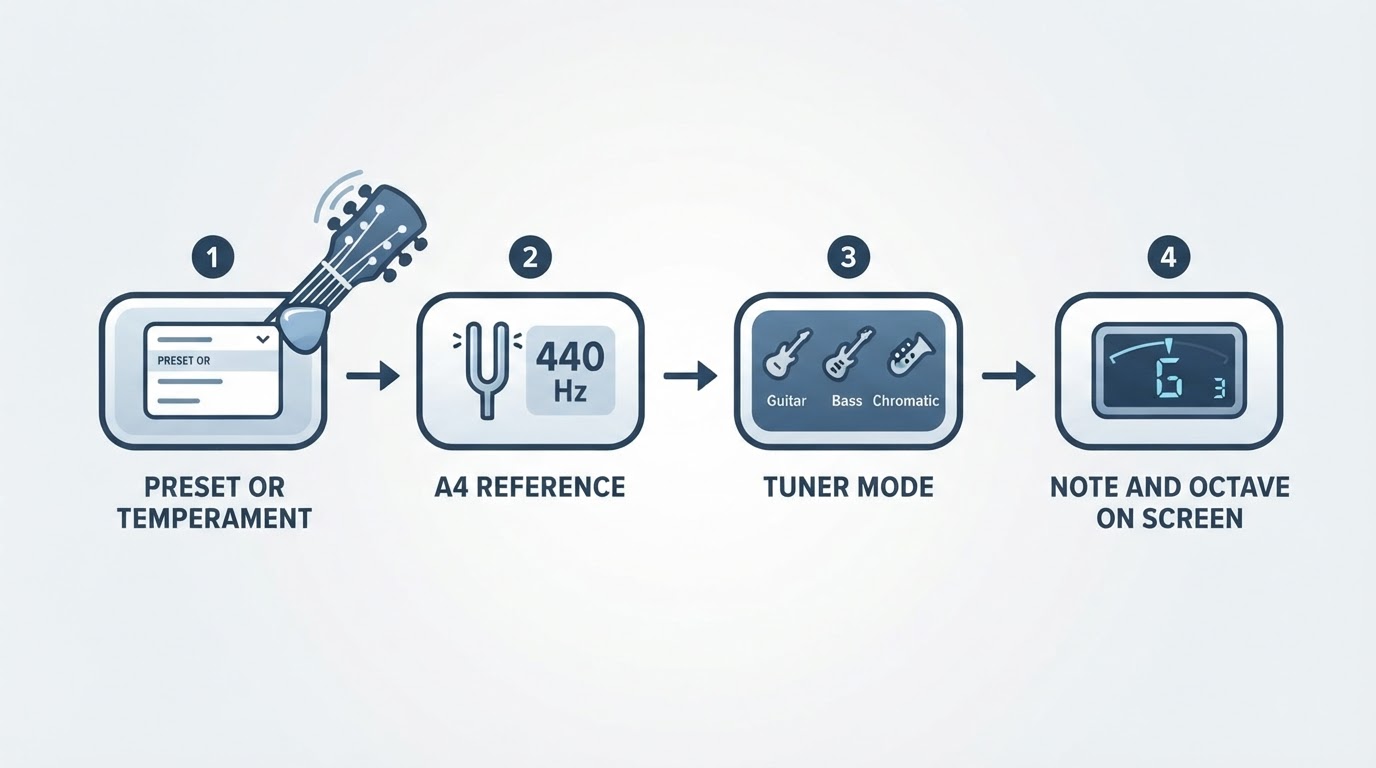
The preset or temperament comes first. EQU is a plain chromatic reference, while an instrument preset targets one instrument and, where it carries offsets, is labelled as a Sweetener. Two units aiming at different pitch sets will show a small, repeatable difference on the same string, and comparing a sweetened preset against a cent meter set to equal temperament produces exactly that difference.
The reference pitch comes second. The FAQ gives the default as Concert A 440 Hz, and changing that value shifts every target in the same direction. By the definition of a cent, A4 = 442 Hz sits about 7.9 cents above A4 = 440 Hz. That is arithmetic, not a measurement of your tuner. If one unit was left on a different reference, every string reads consistently off, which is a different pattern from the per-note differences a Sweetener creates.
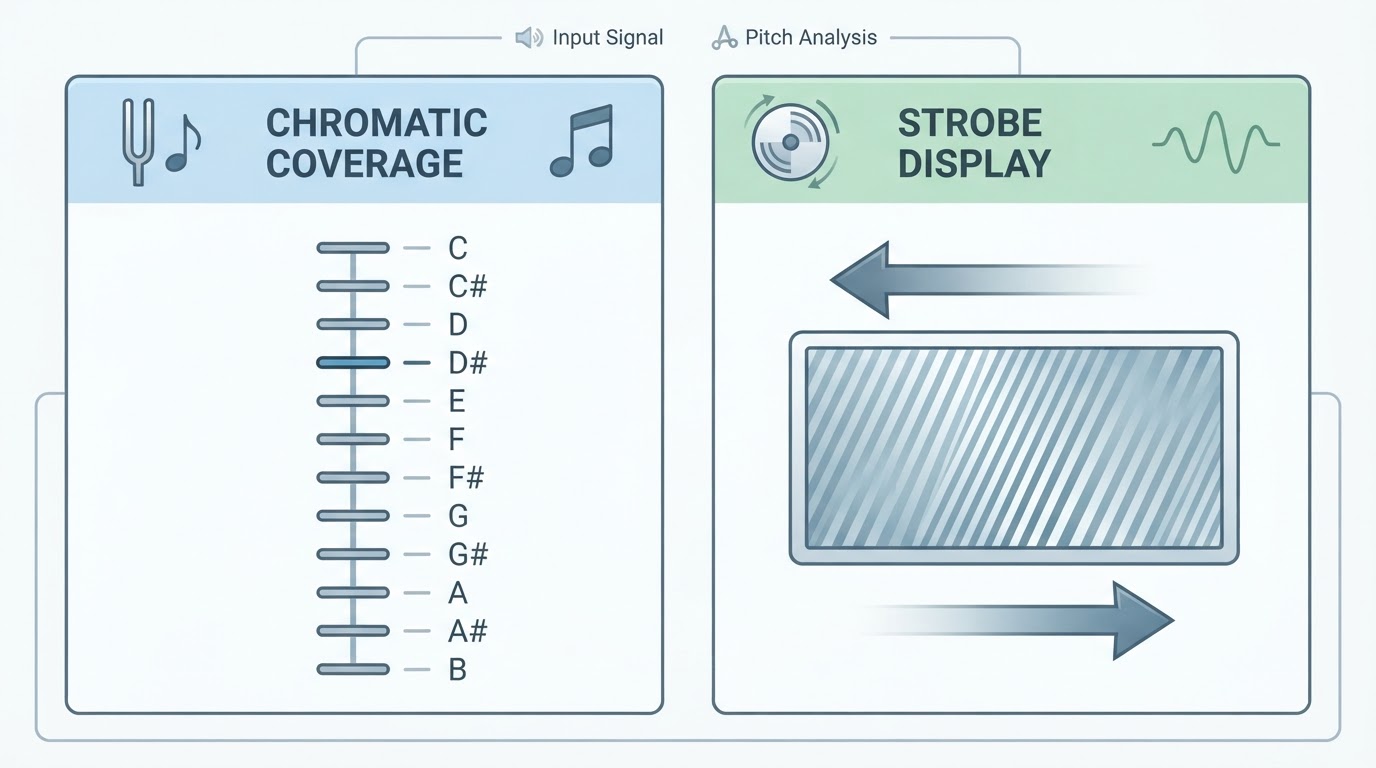
The display comes third. Chromatic mode reports the nearest note and the distance from it. An instrument preset reports the target for the strings that preset covers. Guided Tuning changes the label to a string number. These controls change the displayed label or target; they do not by themselves specify the tuner’s pitch-detection range. The earlier strobe versus chromatic comparison covers how a display reports error; this preset question is about the target it reports against.
The note and octave come last. A tuner that names the correct letter in the wrong octave still looks plausible, and a display that jumps between two note names usually means the input is unsettled.
Matching all four does not settle every remaining disagreement. The input signal, the instrument drifting between passes and the way each unit measures or averages pitch can all still separate two readings. A truer test removes those variables: one tuner, one input path, the same plucked note, and only the preset changed. Then the comparison is about targets rather than about two devices.
How to Compare EQU and a Sweetener on Your Own Guitar
A preset comparison is only meaningful when the preset is the single variable that changes. Set the test up so the guitar, the strings, the tuning and the reference pitch stay fixed.

- Fix the reference and the signal. Choose one A4 value, state it, and use it for both passes. Keep the same input path, whether that is a clip-on in the same spot, one cable into the same pedal, or a microphone at the same distance, and pluck with similar force each time.
- Tune the baseline on EQU. Bring every open string to center, then note how each one reads. If the display shows cents, write the values down; if it shows only a moving pattern, note whether each string settles still or keeps drifting.
- Select the compatible preset and retune every open string it defines. Do not assume the EQU pass survives the switch. The targets moved, so strings that were centered are now slightly off, and retuning them is the point of the exercise. Keep the tuning the preset describes: if it says EADGBE, test in EADGBE.
- Play the actual material. Use the same chords, keys and positions you perform, at the same volume and in the same room or ensemble. Sustained chords and held notes expose differences that a one-string display cannot show.
- Repeat the passes inside one session and write down which preset you used. A decision made across two different days, with different temperature and different strings, is not a comparison of presets.
The result you are looking for is a preference you can state and repeat: on this guitar, in this tuning, at this reference, these chords sit better with this preset.
Where the decision usually falls depends on the job.
- Choose EQU when you need a plain chromatic reference: checking a note that no preset covers, tuning an alternate tuning whose preset you have not checked, or matching your reading to another player's chromatic tuner or a reference tone.
- Choose a compatible Sweetener when the preset description matches your instrument and tuning, and the chords you actually play sound better with the shifted targets.
- Expect to switch between the two if you move between standard and dropped tunings in one session. A preset described for EADGBE does not carry over to another tuning just because the guitar is the same.
What a Preset Cannot Fix
A tuner target is not a repair. If a string binds in the nut, a saddle sits wrong, the action is too low or the strings are old, the tuner will still show the pitch you asked for and the guitar will still sound wrong in the same places. Shifting every target by a few cents does not move a saddle or free a nut slot.
Nor does a Sweetener guarantee beatless chords. Equal temperament spreads its unavoidable error across the intervals, so any temperament is a compromise chosen for a use. A sweetened preset makes one set of intervals sit differently, and which intervals improve depends on the preset and on the key you play in. The FAQ suggests a Sweetener could change how an instrument tunes up "without any modifications whatsoever." That is a maker's description of a preset, not a measured comparison against equal temperament on your guitar.
A reading that keeps moving is also not proof that the instrument needs work. It can come from a light pluck, a noisy room or a clip-on that is not gripping the headstock. Settle the signal first, then decide whether the hardware is the problem.
If the strings will not stay where you put them, or the reading still moves on a clean signal, fix the instrument and the session before you compare presets. Then run the comparison on a guitar that holds its tuning.